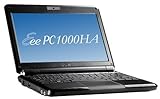
This is a great little netbook---like many others, I have been looking for a small laptop for traveling, taking to the library, sitting on the couch, etc. This is it. When my 7 y.o. daughter first saw it, she said, "aww, it's so cute!" It is cute, but you can get some serious work done on this computer, too. I have upgraded the RAM to 2GB, installed MS Office 2007, and have been using it quite extensively for writing over the past two weeks. This is a computer that's nice for doing some light web surfing around home, sure, but it can handle a lot more.
Here are some pros so far:
---The screen is very bright and clear
---the battery life is great (5+ hours---longer w/o wireless)
---the Atom processor seems quick and efficient; this thing starts up and shuts down a LOT faster than my other laptop, also running XP
---I love the fact that it doesn't get too hot; my other laptop gets uncomfortably hot after using it on my lap for anything more than a few minutes. The eee gets a little warm on the bottom, but not bad at all.
---there are so many things that seem to be well thought-out on this computer, including the little things like a nice neoprene case for storage and even an included microfiber cloth for
There are some cons, however:
---like everyone says, the right shift key takes some adjustment. I am still trying to get the hang of it and always have to pause a little bit when I want to capitalize something, so that my finger can make the extra stretch (assuming I remember)
---the trackpad buttons look sleek but are not designed well. They are too hard to press, yes, but they also are almost useless for things like dragging and dropping. Everytime I try to hold down the left button so that I can select and hold an object (and icon, a scroll bar, or highlighting a paragraph), I have to press really hard on the button to keep the pointer locked on.
---as I said, the screen is great, but it is a little small for looking at a good sized spreadsheet.
---I like to use the "home" and "end" keys a lot for getting around a document or a webpage. You need to press a function key to use home and end on the eee, since there is not a dedicated key for them.
Here are a few tips for getting more from your eee netbook:
---learn how to use the trackpad gestures; they are handy and a way to get around having to use the buttons. You can see how the gestures work by opening up the Mouse properties from the Control Panel. There is a tab for the trackpad that shows how to use the gestures.
---get a small wireless mouse to take with you; I got a Logitech model with a tiny USB receiver that you can leave in the side of the netbook all the time.
---set the Start menu and Taskbar to "auto hide" so you can get a little more screen space.
---use Google's Chrome browser, as it is fast and also has a low profile on your screen, again giving you more screen space to work with
---install the free version of AVG Anti-Virus ([...]) since the eee doesn't come with any anti-virus software, and Windows will keep bugging you about this.
---if you have another computer with a cd or dvd drive, use the Windows networking wizard to create a home network, and you can access the drive from your eee, allowing you to install software from CDROMS. This is how I installed MS Office on my netbook, and it worked great, once I got my computers to talk with each other.
UPDATE: I finally took the plunge and installed Key Tweak to remap several of the keys on my eee. Of course, first thing I did was to switch the right shift key and the up arrow. Then I found a great idea on an eee user group forum (see the discussions here on Amazon about the eee - there are some links to this info) about switching the right/down arrow keys by removing them and switching them around. So I swapped 4 keys total---they are the same size, so they will fit with no problems. Then I also set the Windows Start Menu key to act as a "home" key and the right-click (context) key as "end," so I don't have to use the Fn key to use these keys anymore (I never used either the Start key or the context menu key, so I won't miss them). This is a great "upgrade" that is easy to do and will make the eee work for you even better.Get more detail about ASUS Eee PC 1000HA 10-Inch Netbook (1.6 GHz Intel ATOM N270 Processor, 1 GB RAM, 160 GB Hard Drive, 10 GB E-Storage, XP Home, 6 Cell Battery) Fine Ebony.

No comments:
Post a Comment