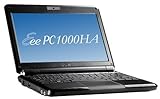
I've had the Asus PC 1000HA for about a week now and am very satisfied with it. The Keyboard fits my hands very well. The display is bright and vivid in color. I ordered the Pearl White model so it's easier to see the keyboard characters in dim light. Sort of an economical way of getting by without a back lit keyboard.
It is a great value considering you get :
1 gig of RAM
160 gig hard drive
10 inch screen
95% sized keyboard
1.3 mega pixel webcam
The familiar Windows XP OS
SD card, MMC slot
Skype preloaded
Padded carrying case
MS Works
Compare the specs to anything else in it's class. You get a good value for your dollar.
Keeping mind that a subnote book is not a laptop, so I think the 10" screen is the way to go over to 8 or 9" netbooks. It's still small but just about right for viewing much of web sites and blogs. You can always zoom into the text with a two finger mouse pad gesture.
As far as bloatware, there was none. No unwanted preloaded programs to delete. I went into "msconfig" >start up, and I had to turn of maybe one or two items. The Elantech mouse pad was a very pleasant surprize. It's very similar to the Macbooks gestures and makes it easy to accomplish the same tasks as left and right clicking the mouse buttons. I find the stiff mouse buttons not a major problem with me. I DO use a wireless mouse when practical and can turn off the mouse pad when doing so by right clicking the mouse Icon tray in the right side of the task bar.
However, the mouse pad gestures work better with IE than it does with Firefox.
The AC power supply is small and has a blue indicator light to show it`s plugged in. It's matching white too.
As far as the awkward Right Shift keys, I downloaded the freeware "Key Tweak" and swapped the Right shift key with the Up Arrow key, and the Down Arrow key with the Right Arrow key. The four keys in the lower right corner of the keyboard. Then physically popped the key off the keyboard and switched them around respectively. It was a bit scary prying on the keys of a new Netbook, hoping I wouldn't crack the plastic keys but it worked out OK. I YouTubed "Remove Keyboard Keys" to see how others have done it.
It boots up just as fast as my other laptops without the heat and with 3 times as long battery life. It runs cool.
I upgraded the RAM to 2 gig for about [...]. It was very easy. The easy access to the hard drive and RAM slot was one big selling point for me.
The included and often overlooked Microsoft Works Suite program also has a nice calendar scheduler program, a dictionary. Both of which you put shortcuts on the desktop. The word processor can save your documents to .DOC files. Microsoft Word documents. There is also a spreadsheet and database program as well. It has a Powerpoint player but not PowerPoint. Oh well. Of course, if you have MS Office that would work too. But, at least it does come with some sort of basic office type suite.
Freeware I loaded on the Asus Eee PC 1000HA to enhance its features and security:
[...]AVG virus scanner
Essential Codec Pack
Ad aware (for spyware)
Snap (to take snapshots with it webcam like Macs Photobooth) [...]
Firefox web brouser
VLC media player
Key Tweak (remap the keyboard)
Ccleaner
Free Registry Cleaner
[...]Get more detail about ASUS Eee PC 1000HA 10-Inch Netbook (1.6 GHz Intel ATOM N270 Processor, 1 GB RAM, 160 GB Hard Drive, 10 GB E-Storage, XP Home, 6 Cell Battery) Fine Ebony.

No comments:
Post a Comment